
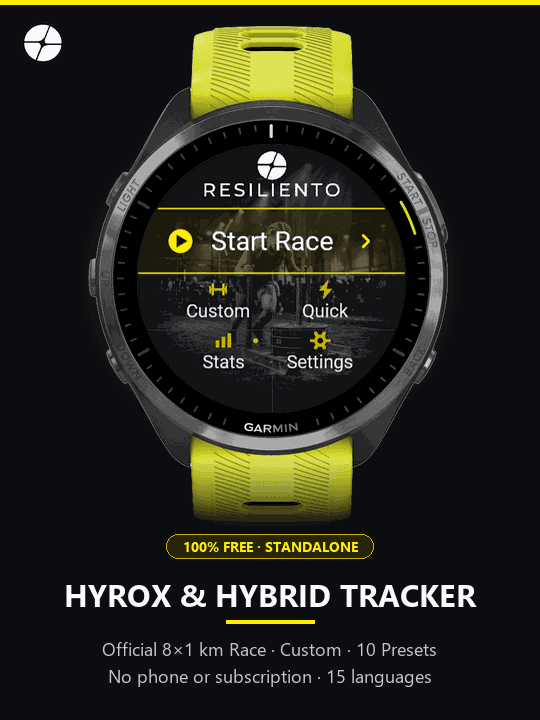
Home Hub
Race, Quick & Custom in One Tap
High-contrast yellow-on-obsidian interface built around immediate starts for full races, 10 quick presets, custom builders, and saved Stats.
The free standalone Garmin Connect IQ watch app built for HYROX races and hybrid training. Track all 8 runs and 8 stations with automatic division weights, optional Roxzone lookahead splits, Concept2 PM5 telemetry, 10 quick workouts, and 12-page post-race analytics — straight from your wrist.
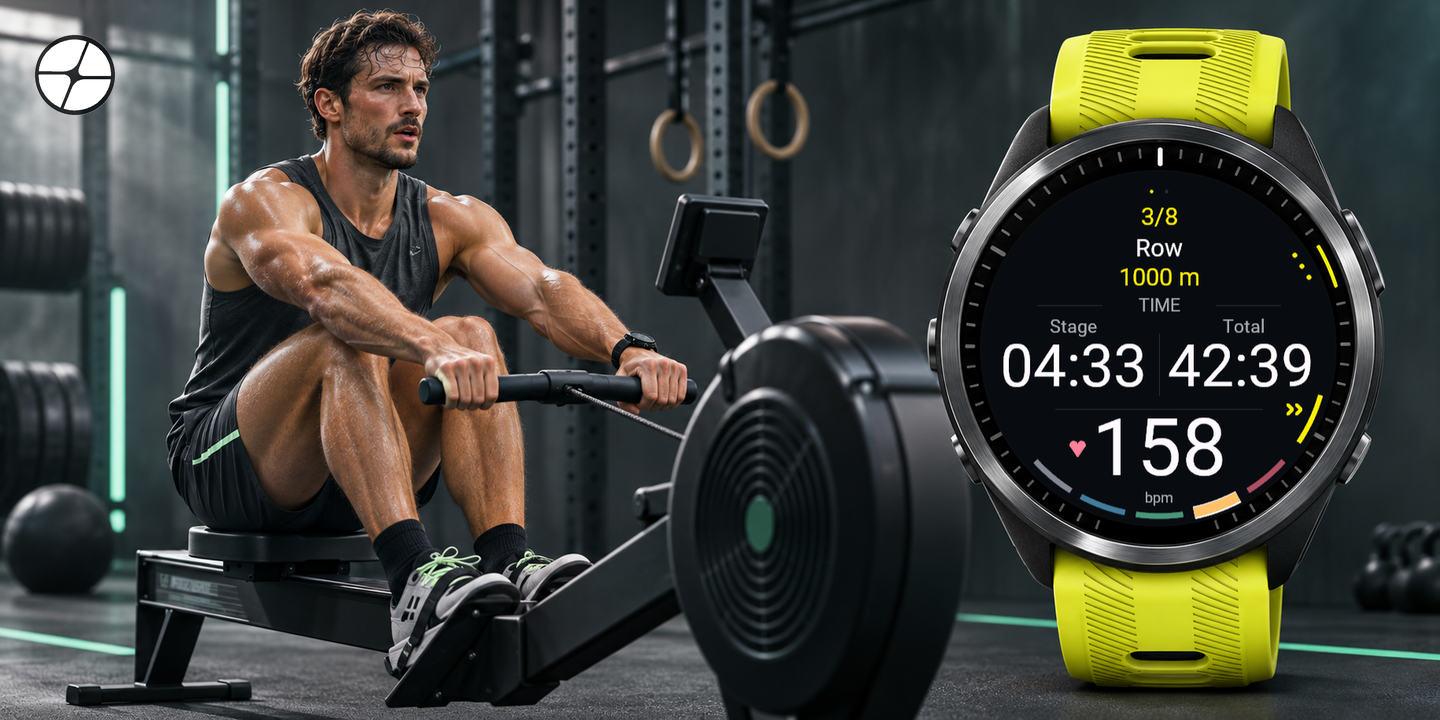
No paywalls, subscriptions, or companion phone required
Forerunner, Fenix 6-9, Epix, Venu 2-4 & X1, Vivoactive, Enduro
Localized on-watch UI with smooth horizontal scrolling labels
Concept2 SkiErg/RowErg BLE + named Garmin Connect station laps
Built for Race-Day Clarity
High-contrast yellow and white typography on an obsidian canvas, with smart marquee scrolling labels and hardware-aligned button cues captured directly from the Garmin watch simulator.
High-contrast yellow-on-obsidian interface built around immediate starts for full races, 10 quick presets, custom builders, and saved Stats.
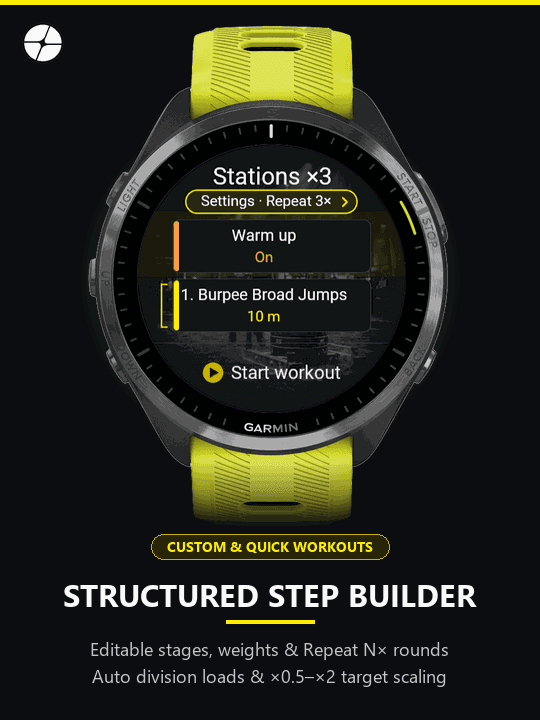
Inspect every stage before starting, tap Settings · Repeat Nx to edit rounds, scale targets x0.5 to x2, or auto-apply Singles/Doubles weights.
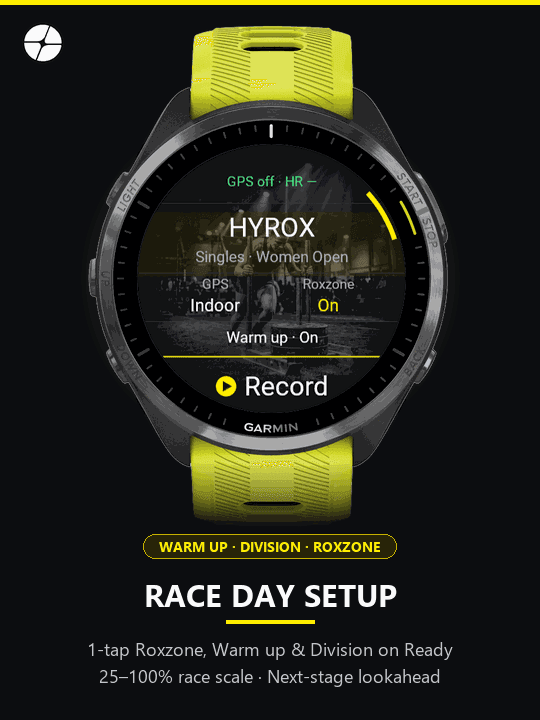
Toggle Indoor GPS, Warm up, Roxzone transitions, and Singles/Doubles division right on the Ready card before starting.
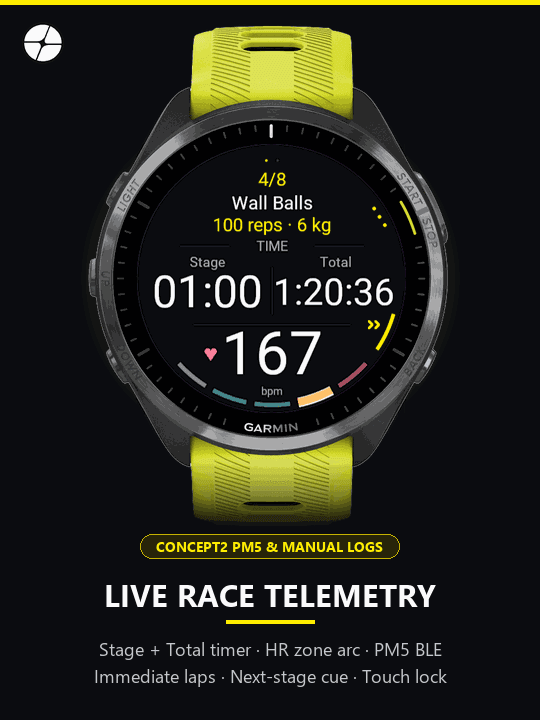
Track stage and total timers, heart rate zone arc, live Concept2 SkiErg/RowErg telemetry, optional target run pace delta, and immediate LAP boundaries.
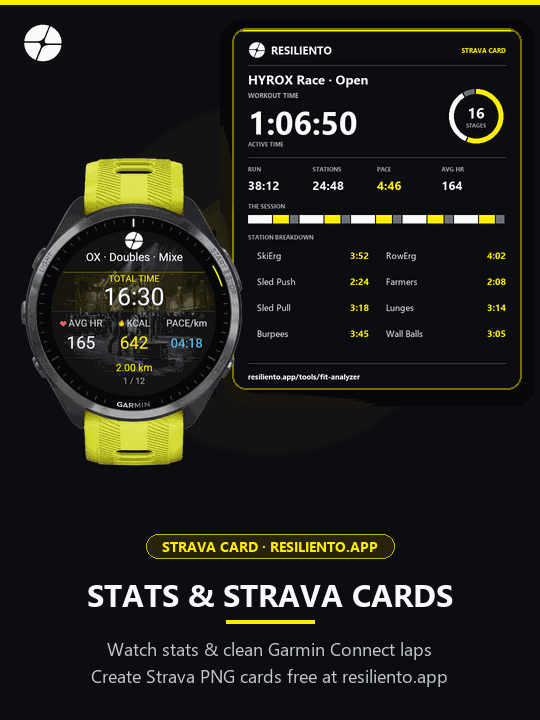
Review TOTAL TIME, AVG HR, KCAL, and PACE/km on your wrist, inspect clean Garmin Connect laps, or drop your .zip/.fit file into FIT Analyzer for a Strava PNG card.
After the workout · Strava Share Card
Drop your Garmin Connect .zip export or .fit file directly into your browser to inspect every run split, station result, and heart-rate phase, then download a branded 4:5 Strava PNG workout card and formatted split summary. Your activity file stays on your device.
Open FIT Analyzer & Strava CardComplete Hybrid Toolset
Complete 8 x 1 km runs + 8 functional stations with official Singles and Doubles (Open & Pro) station weights populated automatically, plus 25%, 50%, 75%, or 100% scaled race simulations.
Record optional Warm up separately from main race time, and preview the upcoming station (> Next Stage) during Roxzone transitions up to 64 runtime stages.
Launch Half HYROX Sim, Compromised Running, or Sled & Grip x3 with button scrolling, or build auto-saving custom circuits with MM:SS durations and x0.5-x2 scaling.
Pair Concept2 PM5 SkiErg and RowErg monitors directly via watch Bluetooth Low Energy for live watts, /500 m pace, distance, and stroke data, alongside manual station results and load volume tracking.
Optional Target Run Pace alerts with live ahead/behind deltas, a clear 4 o’clock LAP cue ideal for 2-button Venu watches, optional workout touch lock on 5-button watches, and marquee scrolling labels on every screen.
Compact 15-field FIT laps, M:SS / H:MM:SS Connect Stats without truncation noise, 12 on-watch summary pages, and free browser .zip/.fit Strava PNG card generation.
From Wrist to Finish Line
Add Resiliento: HYROX & Hybrid Tracker via the Garmin Connect IQ Store app or Garmin Express. No phone bridge or subscription required.
Select Singles or Doubles weights once in Settings, toggle Indoor/Outdoor GPS and Roxzone transitions on the Ready screen, and optionally scale race volume from 25% to 100%.
Press LAP (or tap the 4 o'clock cue) at each stage boundary for immediate lap recording, then review 12 watch pages, open Activity → Laps in Garmin Connect, or generate a Strava PNG card at /tools/fit-analyzer.
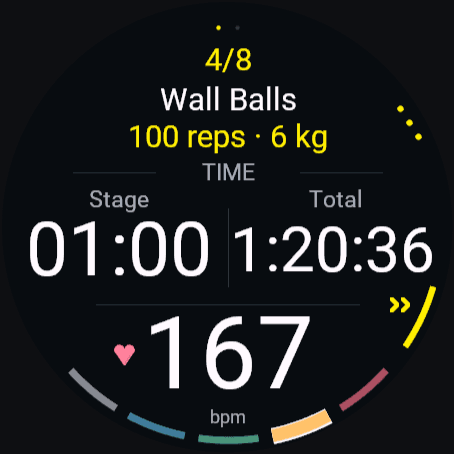
4/8 · Wall Balls · 100 reps · 6 kg
High-contrast active view with live target load, heart rate zone gauge, and symmetrical LAP cue.
101 Compatible Models
The watch app uses heart rate for training displays and summaries. GPS is off by default and is used in Outdoor mode for distance and live pace alerts. The watch app does not send heart rate, GPS, or workout data to Resiliento servers.
Preferences, custom workouts, and recent workout summaries stay stored locally on your watch. When you save an activity, it writes a standard Garmin FIT file that can sync to Garmin Connect under your Garmin privacy settings.
For app support or privacy questions, email support@resiliento.app.
Resiliento is independent and is not affiliated with or endorsed by HYROX or Garmin.